High Quality Payroll and HR Services
Client Resources News & Tips Email Us 610-310-7615

Dec 18, 2024
Understanding IRS Form W-2
Form W-2 is the wage and tax statement that employers give to employees and to the IRS to show each employee's income earned and taxes withheld. Read through to better understand how the government uses the form.
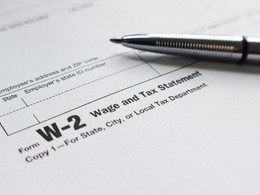
Each year, businesses give a W-2 form to each employee. The W-2 shows all taxable wages paid to the individual during the calendar year. The W-2 also includes information on tax and other withholdings. When the employee files their taxes, they input the data from the W-2 onto their Form 1040. Employers must give W-2s to employees on or before Jan. 31 so that individuals have time to file their taxes before the April 15 deadline.
Each W-2 includes the same information, often divided into separate local, state and federal sections:
- Information about the company, including the business's employer identification number for the federal return and its state ID number, if different, for the state return
- The employee's income from the previous year
- Taxes withheld, separated into withholding for federal income tax and Social Security tax
- Tips, if any, that the employee earned that year
- Fringe benefits such as health insurance contributions, adoption assistance, dependent care assistance and health savings account contributions
The IRS also receives a copy of each employee's W-2.
After entering W-2 data onto Form 1040, employees determine their tax liability or refund. If the income reported on Form 1040 differs from the W-2, the IRS may flag the return for review. Taxpayers must report all earned income, including wages, salaries and tips, even if they are not included on the W-2.
The W-2, box by box
When businesses look at Form W-2, they'll see numbered and lettered boxes to fill out:
- Boxes a, e and f show the employee's Social Security number, name and address.
- Boxes b, c and d are for the employer's information, including its EIN and address.
- Box 1 shows taxable income, including wages, salary, tips and bonuses.
- Box 2 reports federal income tax withheld.
- Box 3 details earnings subject to Social Security tax.
- Box 4 shows the amount of Social Security tax withheld.
- Box 5 indicates earnings subject to Medicare tax.
- Box 6 shows the amount of Medicare tax withheld.
- Boxes 7 and 8 report tip income, if any, subject to tax.
- Box 9 is left blank — it was previously used for a now-discontinued credit.
- Box 10 reports dependent care benefits received, if applicable.
- Box 11 reflects deferred compensation from nonqualified plans.
- Box 12 shows other types of compensation or deductions, e.g., contributions to a 401(k) plan, indicated by letter codes found in the instructions.
- Box 13 highlights pay not subject to federal income tax withholding, such as employer-sponsored retirement plans and/or sick pay via a third party, such as an insurance policy.
- Box 14 contains additional tax information, such as state disability insurance and/or union dues.
- Boxes 15-20 are used for state and local taxes, including how much income is subject to these taxes and how much was withheld.
Note that the IRS may make slight design changes each year. Fortunately, the software packages that help you fill it out typically keep up with these modifications.
The W-2 form may be found on the IRS's website. Additionally, using Form W-3, the employer reports to the Social Security Administration the total amount in Social Security and Medicare taxes that were withheld for each employee. The SSA shares this information with the IRS and uses the data to calculate each employee's future Social Security benefits.
As deduction amounts and withholdings change frequently, employers are encouraged to consult with tax professionals to stay current on IRS guidelines.
©2024

MORE RECENT NEWS…
Sep 24, 2026
Job Openings? Look Toward Community Colleges
Employers are painfully aware that they face a 21st-century skills shortage. Companies are bent on hiring a "new collar" workforce to keep up with advances in technologies like artificial intelligence and automation. Read through to learn about an untapped resource.
Sep 23, 2026
With the IRS, As with Courts, You're Entitled to Representation
If you're having a problem with the IRS, you have rights! For one, you don’t have to go it alone. You are allowed to have an expert in your corner. Read through for details on the regulations that protect you.
Sep 22, 2026
Just What Are 'Competitive Wages'?
Inflation is a key challenge that businesses of every size face when developing compensation strategies. Read through to see how your business can position itself in the competitive wage war to attract and retain employees.
Sep 21, 2026
What the Gig Economy Is Doing to Traditional Payroll Structures
The gig economy, characterized by companies hiring short-term, contract or freelance workers, has been surging since the 2020 pandemic when people were mandated to work remotely. By current estimates, one-third of American workers are doing some form of gig work. Read through to learn more about what this arrangement is doing to traditional payroll structures.
More News & Press can be found in our Archive.
Panacea Payroll
3277 West Ridge Pike
Suite A101
Pottstown, Pennsylvania 19464
610-310-7615

MEMBER OF









WE'RE SERIOUS ABOUT SECURITY
Staying resilient from malicious threats, cyber and physical, is critical in providing the exemplary value our clients expect from us. To do this, we integrate the National Institute of Standards and Technology's (NIST) Cybersecurity Framework that ensures our security procedures, policies, and infrastructure are up to the highest standard possible. Financial institutions, infrastructure management, defense, healthcare, and other heavily regulated industries that rely on stringent information safeguards use the NIST Cybersecurity Framework. We review our security policies and procedures frequently to ensure newly identified threat and vulnerability information is incorporated. Our network infrastructure and physical locations are continuously monitored for anomalies and uninvited guests. Additionally, our incident response and business continuity plans are tested frequently to minimize the likelihood of backup failures.
© 2026 Panacea Payroll, All Rights Reserved.